
Guitar Tuner - Simply Tune
Simply LtdMusic & Audio
4.8664.00 Reviews
- Version
- 1.5.7
- Installs
- 500.00K
- Age Rating
- Everyone
Screenshots
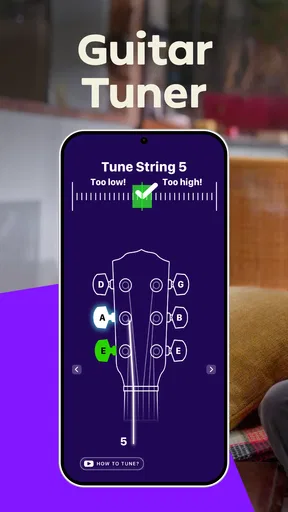

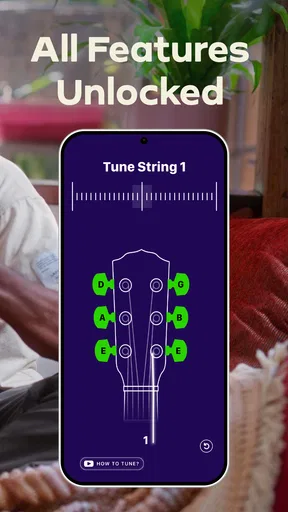
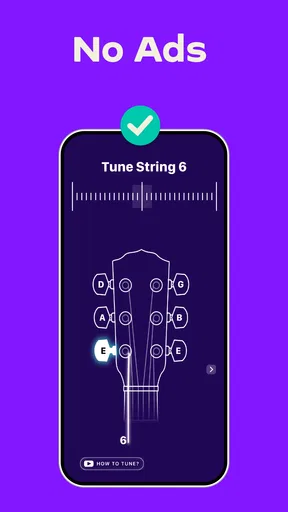
Our Review of Guitar Tuner - Simply Tune
 Analysis by Appyee
When I pick up a guitar before recording, rehearsing, or simply playing for a few minutes, tuning is the first creative decision I need to get right. Guitar Tuner - Simply Tune is built for that exact starting point: it turns an Android phone into a practical tuner for guitar, ukulele, and bass. I found it most useful when I wanted to move from an idea to playing without opening a larger music app or searching through a crowded toolbox.
This is a free Music & Audio app from Simply Ltd, suitable for Everyone and compatible with Android 6.0 or later. It has reached over half a million installs and holds a 4.8 average from roughly forty-one thousand ratings, which gives it a reassuring level of everyday use. The current version is 1.5.7. Those figures do not replace hands-on testing, but they do match my impression: this is a focused utility rather than an experimental side feature hidden inside a general music platform.
From a musical idea to a reliable starting point
The best place for a tuner is often not a studio. It is beside the sofa, in a rehearsal room, backstage, or next to a notebook where a melody has just appeared. I like that the app’s purpose is immediately understandable. I can open it, bring a string or instrument within listening range, and concentrate on the needle or tuning feedback instead of navigating a complicated production environment.
That simplicity matters when I am working on a song idea. A guitar that is slightly out of tune can make a promising chord progression feel wrong, and it can also lead me to “fix” notes that were never the problem. Using a dedicated tuner before I record a rough voice memo or develop a riff gives the rest of the creative process a cleaner foundation.
The app is also useful for players who switch instruments. A guitarist may already have a familiar routine, but a ukulele or bass can make ordinary phone tuner habits less convenient. Having one tool intended for all three instruments makes it easier to keep the same basic workflow when moving between practice sessions.
Its free price is important here. I can recommend it to a beginner without asking that person to commit money before learning whether a phone-based tuner fits their playing style. The Everyone age rating also makes it approachable for family music practice, school projects, and casual first instruments.
Setting up the room before tuning
Phone microphones are sensitive to the environment, so I get better results when I reduce nearby sound before plucking. A television, conversation, or another instrument can give any tuner more information than it needs. I usually mute the guitar between attempts and play one string at a time, with a consistent, moderate attack.
This is one of the less obvious parts of using a phone tuner: the app cannot compensate for careless input. If I strum all the strings together, I may see a confusing response because the microphone is hearing several pitches. If I keep the instrument close enough for a clear signal but not so close that the sound becomes harsh, the tuning process feels much steadier.
For acoustic instruments, I prefer a quiet corner rather than a lively room. With an electric guitar, I still treat the phone as a listening device and make sure the instrument’s sound reaches the microphone clearly. Players using an amplifier or effects setup should remember that tuning is usually easier with the cleanest possible signal, not with distortion or heavy modulation masking the fundamental note.
What the tuning workflow feels like
My normal workflow is deliberately repetitive: choose the instrument I am about to play, sound one string, watch the indication settle, adjust the peg in small movements, and sound the string again. I do not twist quickly based on one instant reading. I make a small correction, let the string ring, and check again. This avoids overshooting the target and is especially helpful on strings that continue to move after a large adjustment.
The app works best as a guide for deliberate tuning rather than as a replacement for listening. I use the visual response to identify whether I am below or above the target, then I listen for a stable result. That combination is more dependable than chasing a moving display while the string is still vibrating unevenly.
For a beginner, this process teaches a useful habit: tuning is not a single tap. It is a short loop of sound, correction, and confirmation. For an experienced player, the benefit is speed. Once I know the instrument is close, I can move through the strings quickly and spend my attention on the music itself.
Working across guitar, ukulele, and bass
The app’s instrument coverage gives it a practical edge over a tuner that is designed around guitar alone. A ukulele player does not need to install a separate utility just because the instrument has a different range and tuning routine. Likewise, a bassist can keep the same app available when switching from songwriting on guitar to checking a bass line.
There is a trade-off, though. A multi-instrument tuner is convenient, but it does not automatically make every instrument equally easy to tune in every situation. Bass notes can be less comfortable for a phone microphone to capture in a noisy room, while a bright ukulele can stand out too strongly if played aggressively. I get the best results by giving the app a clean, isolated note and waiting for the reading to become stable.
I would particularly recommend it to a player who owns one main instrument and occasionally borrows or buys another. It keeps the learning curve small. Someone who needs a specialist stage tuner, unusual alternate tunings, or a completely hands-free hardware workflow may still prefer a dedicated physical device or a more advanced specialist app.
From first take to revision and handoff
A tuner may seem separate from making and publishing creative work, but it affects every stage after the first idea. When I record a demo, an out-of-tune instrument can make editing harder because chords, doubled parts, and harmonies no longer sit together naturally. Tuning first reduces that avoidable problem before I reach the recording or editing stage.
For a quick songwriting session, I use the app before making the first take and again if the instrument has been played for a while. This second check is easy to skip, yet it can matter after repeated bends, changes in temperature, or fresh strings settling. I do not treat the first successful tuning as permanent; I treat it as the opening checkpoint for the session.
Using it before recording and editing
Suppose I have a chord loop and want to record several guitar layers. I tune before the rhythm part, then check again before adding a lead line. If the lead is recorded against a drifting instrument, I may waste time wondering whether the problem is timing, intonation, or the edit itself. A quick retune narrows the possibilities before I start cutting clips or adjusting pitch.
This is also useful for creators who publish informal performances. A phone video, social post, or remote collaboration may be made quickly, but listeners still notice when the instrument sits noticeably sharp or flat. The tuner does not improve the performance by itself, yet it removes one technical distraction that can make a simple recording feel unfinished.
For remote collaboration, I would ask everyone to tune their own instrument before recording rather than assuming the receiving editor can repair it later. Pitch correction can be useful in some workflows, but it is not a substitute for a properly tuned source. Starting consistently makes the handoff easier, especially when multiple players are contributing separate parts.
Iteration without chasing perfection
One strength of a focused tuner is that it helps me make a clear decision quickly: the string needs a small correction, or it is ready. That keeps tuning from swallowing the creative session. I can check the instrument, make the adjustment, and return to experimenting with rhythm, arrangement, or lyrics.
At the same time, I would not use the display as a reason to endlessly retune every note during a performance. Strings naturally move slightly, and the instrument’s own intonation may mean that a perfectly matched open string does not behave identically at every fret. For composing and recording, I use the app to establish a dependable reference, then I listen to the chords and intervals that actually appear in the piece.
A useful technique is to tune in the order I plan to play. If the song begins with a low bass note or a particular chord, I pay attention to how that opening sounds after the general tuning pass. This catches issues that a purely mechanical check can miss. It is a small but valuable distinction between “the tuner says the strings are ready” and “the instrument supports this specific piece.”
Where the app fits beside other options
Compared with a clip-on tuner, a phone app is easier to share and costs nothing, but it depends more on the listening environment. A clip-on device reads vibration directly from the instrument, so it can be more dependable on a noisy stage or during a group rehearsal. I would choose hardware when speed, visibility, and isolation matter more than convenience.
Compared with a broad music-learning app, this tuner is less distracting. A learning platform may offer lessons, exercises, songs, and progress tracking, but those extras can slow down a simple “I need to tune now” task. I prefer this focused approach when my next step is recording or playing rather than studying.
Compared with a general-purpose chromatic tuner, its appeal is the straightforward focus on guitar, ukulele, and bass. The compromise is that players looking for a large collection of specialized tuning tools or deeper instrument analysis may find a specialist alternative more suitable. I would not install this expecting it to become a complete production suite; its value is strongest before the creative work begins and whenever a quick pitch check is needed.
Small habits that improve the result
I keep the phone still while tuning instead of holding it in my hand and moving it around the instrument. I also avoid placing it directly against a resonating surface, because vibrations from the table can make the listening situation less predictable. These habits take seconds and make the visual feedback easier to trust.
When a string refuses to settle, I stop turning the peg and investigate the physical setup. The issue may be a string that is slipping, a poor winding, or an instrument that needs adjustment. A tuner can show the pitch; it cannot repair the hardware. Recognizing that boundary prevents me from blaming the app for a mechanical problem.
I also check after changing strings or moving between rooms with noticeably different conditions. Fresh strings can shift while they stretch, and a guitar that was tuned in one place may need attention after transport. These are realistic moments when a free phone tuner earns its place in my routine.
Who should use it, and who should skip it
I think it is a strong fit for beginners, bedroom songwriters, casual players, ukulele owners, and musicians who want one uncomplicated tool for several stringed instruments. It is especially convenient for someone who records ideas on a phone and wants to tune before pressing record.
I would be more cautious about recommending it as the only tuner for stage work, loud rehearsals, or situations where the phone microphone may struggle to isolate the instrument. Players with unusual tunings, advanced intonation needs, or a preference for physical controls should compare it with dedicated hardware or a more specialized tuner.
It is also not the right choice for someone expecting editing, recording, publishing, or file-management features inside the same app. Its role is earlier and narrower: make sure the instrument is ready so the creative output starts from a sound foundation. That narrow scope is a benefit if I want speed, but a limitation if I want an all-in-one music workstation.
My creator-focused verdict
After using it as part of a songwriting and practice routine, I see Guitar Tuner - Simply Tune as a dependable first step rather than a complete music-making environment. It helps me move from a rough idea to a usable instrument quickly, supports guitar, ukulele, and bass, and avoids the clutter that often comes with larger music apps.
The free access makes it easy to try, while its broad Android compatibility means it remains useful on older devices running Android 6.0 or newer. The 4.8 average and more than forty thousand ratings suggest that many other users have found the same basic value, though my recommendation still depends on the setting: quiet rooms and careful playing suit it best.
My honest recommendation is simple: use it as the opening checkpoint for practice, recording, and collaboration. It will not replace a clip-on tuner in a noisy venue, solve instrument setup problems, or edit a finished track. But when I need to tune a guitar, ukulele, or bass before turning an idea into something I can record and share, this focused free app does the job without getting in the way.
Verdict
Strengths of Guitar Tuner - Simply Tune
- Accurate tuning for guitars, basses, ukuleles, and other string instruments.
- Clear note detection makes tuning easy for beginners.
- Works well in noisy environments with responsive pitch tracking.
- Includes multiple tuning modes for different playing styles.
- Simple interface opens quickly and keeps tuning sessions distraction-free.
Limitations of Guitar Tuner - Simply Tune
- Some advanced tuning options may require a premium subscription.
- Advertisements can interrupt the experience in the free version.
- Microphone permission is required for the tuner to function.
- Pitch detection may struggle with very quiet or poorly played strings.
- The app can use extra battery during extended tuning sessions.
Other Releases by Simply Ltd
View All
Simply Piano: Learn Piano Fast
Education4.6

Simply Sing: My Singing App
Music & Audio4.5

Simply Guitar - Learn Guitar
Education4.6

Simply Draw: Learn to Draw
Education4.7
Similar Picks in This Category
View All
YouTube Music
Google LLC4.4

Samsung Music
Samsung Electronics Co., Ltd.3.8

Spotify: Music and Podcasts
Spotify AB4.3

JioSaavn - Music & Podcasts
Saavn Media Limited4.3

Lark Player:Music Player & MP3
Lark Player Studio - Music, MP3 & Video Player4.6

StarMaker: Sing Karaoke Songs
SKYWORK AI PTE. LTD.4.3
Frequently Asked Questions
What is Guitar Tuner - Simply Tune, and how does it work?
Guitar Tuner - Simply Tune is a mobile tuning app designed to help you tune a guitar using your device’s microphone. After selecting a string or playing it directly, the app listens to the note and indicates whether the pitch is too low, too high, or correctly tuned. Its simple visual guidance makes it suitable for beginners as well as more experienced players who need a convenient tuner on the go.
Can Guitar Tuner - Simply Tune tune different types of guitars?
The app is primarily intended for standard six-string guitars, but its usefulness can also depend on the tuning options included in the version available on your device. It may support alternative tunings or additional stringed instruments, although users should check the in-app settings before downloading if they specifically need tuning for bass, ukulele, seven-string guitars, or unusual tunings. Standard guitar tuning is generally the main focus.
Does Guitar Tuner - Simply Tune require an internet connection?
A constant internet connection is usually not necessary for the basic tuning function because the app uses your phone or tablet’s microphone to detect sound locally. This makes it practical for rehearsals, lessons, and performances where Wi-Fi or mobile data may be unavailable. However, internet access could still be required for advertisements, updates, premium features, or downloading additional content, depending on the app version.
Is Guitar Tuner - Simply Tune accurate enough for beginners and performances?
For everyday practice and basic tuning, Guitar Tuner - Simply Tune can be a useful and accessible tool, especially when the microphone receives a clear signal. Accuracy may be affected by background noise, poor microphone quality, or playing several strings at once, so tuning in a quiet environment is recommended. Before a professional recording or concert, experienced musicians may still prefer a dedicated hardware tuner for maximum reliability.
Is Guitar Tuner - Simply Tune free to download, and does it contain ads or purchases?
The availability of free features, advertising, and optional purchases can vary according to the platform and current release. Users should review the Google Play Store or App Store listing before installing to confirm pricing and subscription details. The free version may provide core tuning tools while displaying advertisements or limiting advanced options. Carefully checking permissions and in-app purchase information is recommended before proceeding.
